🧩 Rings For All
Displays range ring previews while holding Shift.
![a Rings For All [EN].gif](/img/user/a%20Rings%20For%20All%20%5BEN%5D.gif)
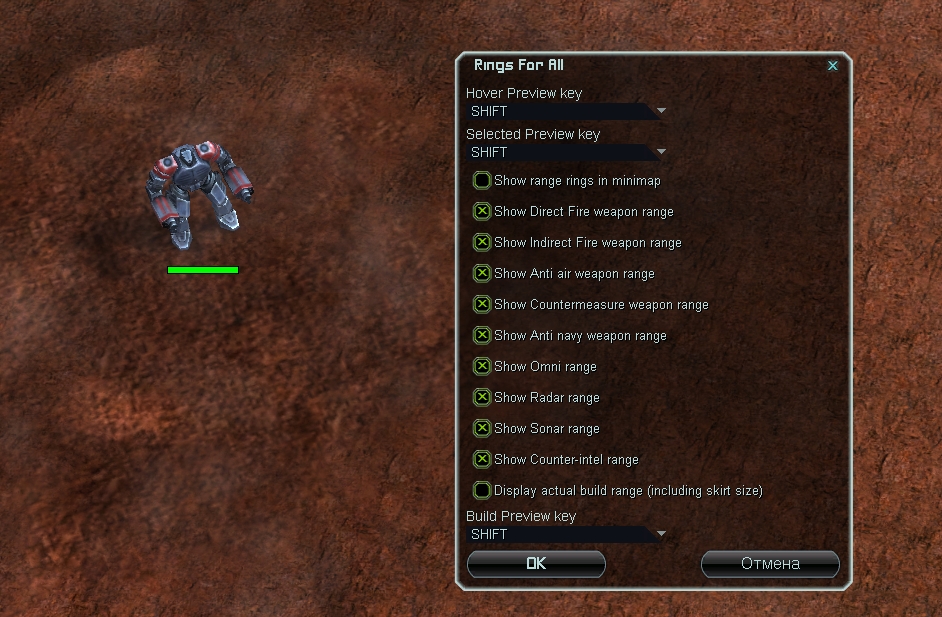
Activation keys:
-
Hover Preview key- key to show the unit's range under the cursor (default Shift) -
Selected Preview key- key to show the range of all currently selected units -
Build Preview key- key to show the engineer's build range
Weapon Ranges:
-
Show Direct Fire weapon range -
Show Indirect Fire weapon range -
Show Anti air weapon range -
Show Countermeasure weapon range -
Show Anti navy weapon range
Intel:
-
Show Radar range -
Show Sonar range -
Show Omni range -
Show Counter-intel range
Interface and Construction:
-
Show range rings in minimap -
Display actual build range (including skirt size)
Dependencies: ReUI
Settings: F10 → ReUI Options → Rings For All
Specific Target Priorities
Fast target prioritization by unit category or specific unit type.
You must assign a dedicated hotkey for this mod to function (see below).
How it works: select army → hover over enemy unit → tap bind 1x (category priority: Land, Mex, Energy, PD, etc.) or 2x (specific unit priority, e.g. T2 Seraphim Mex).
.gif)
![d Specific Target Priorities [Настройки].jpg](/img/user/d%20Specific%20Target%20Priorities%20%5B%D0%9D%D0%B0%D1%81%D1%82%D1%80%D0%BE%D0%B9%D0%BA%D0%B8%5D.jpg)
Settings: F10 → Key Bindings → Target priorities → target_specific
target_specific is all you need (dual-action bind).
Alternatives:
target_specific_common(Specific unit priority)target_specific_type(Category priority)
Bi4UI.StrategicRings
Pins permanent range and vision rings for any structure on the map.
How it works: hover over any structure → press bind → ring is pinned on the map.
Rings center on the cursor position rather than the structure center - expect minor offsets.
-
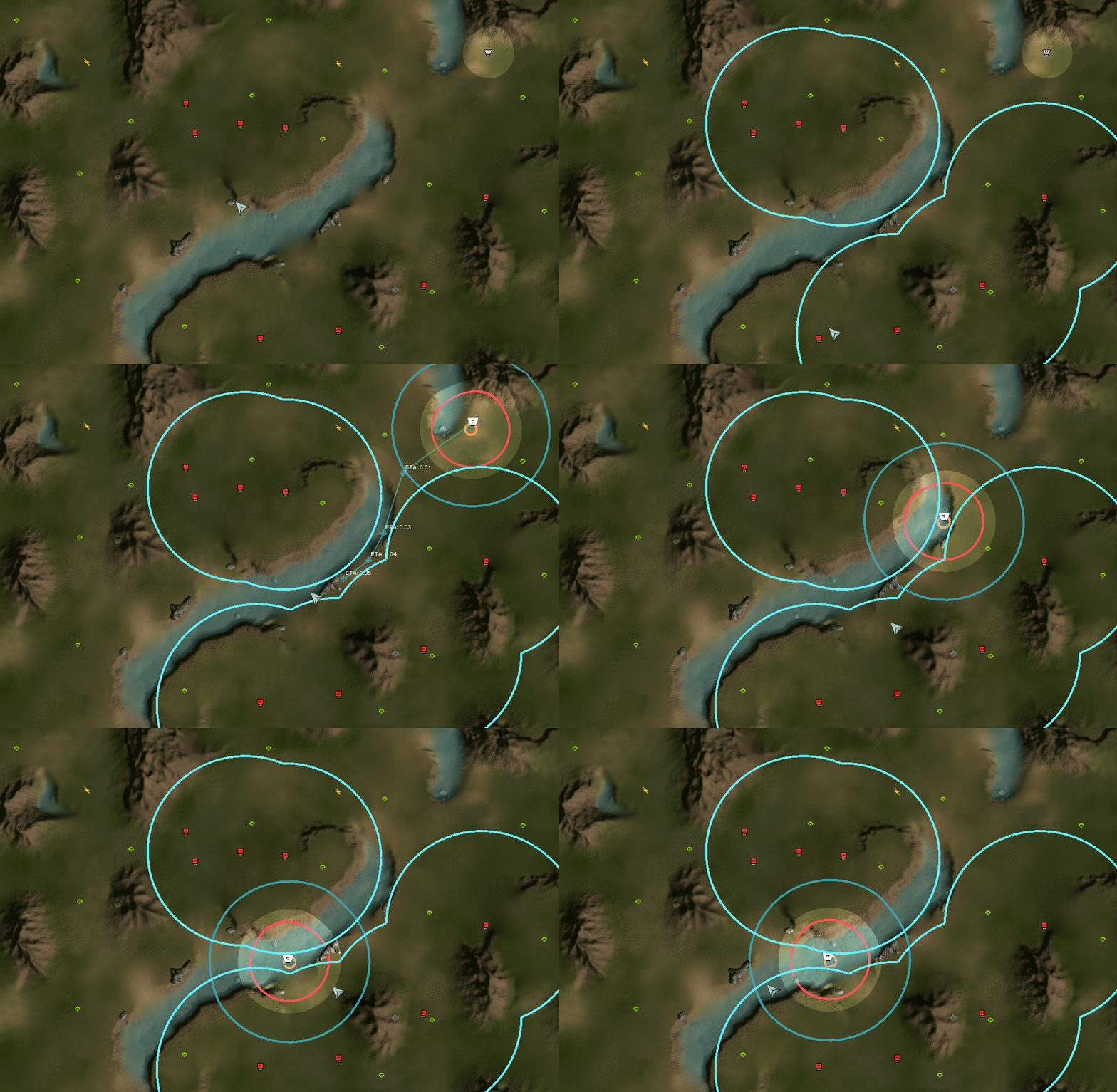
Create ring over hovered unit- weapon/radar range ring (PD, radar, SMD, etc.)
-
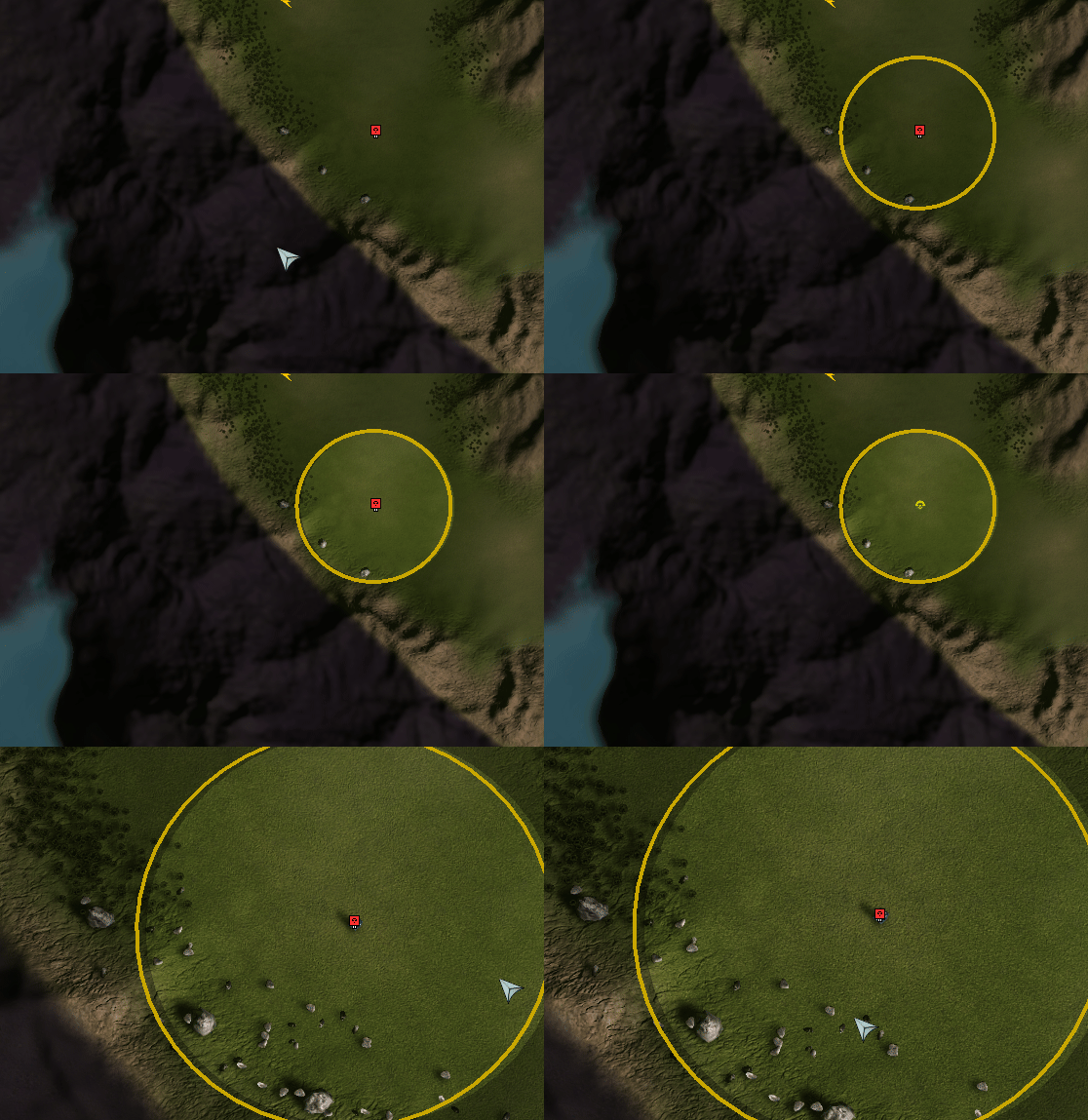
Create vision ring over hovered unit- line-of-sight (vision) ring
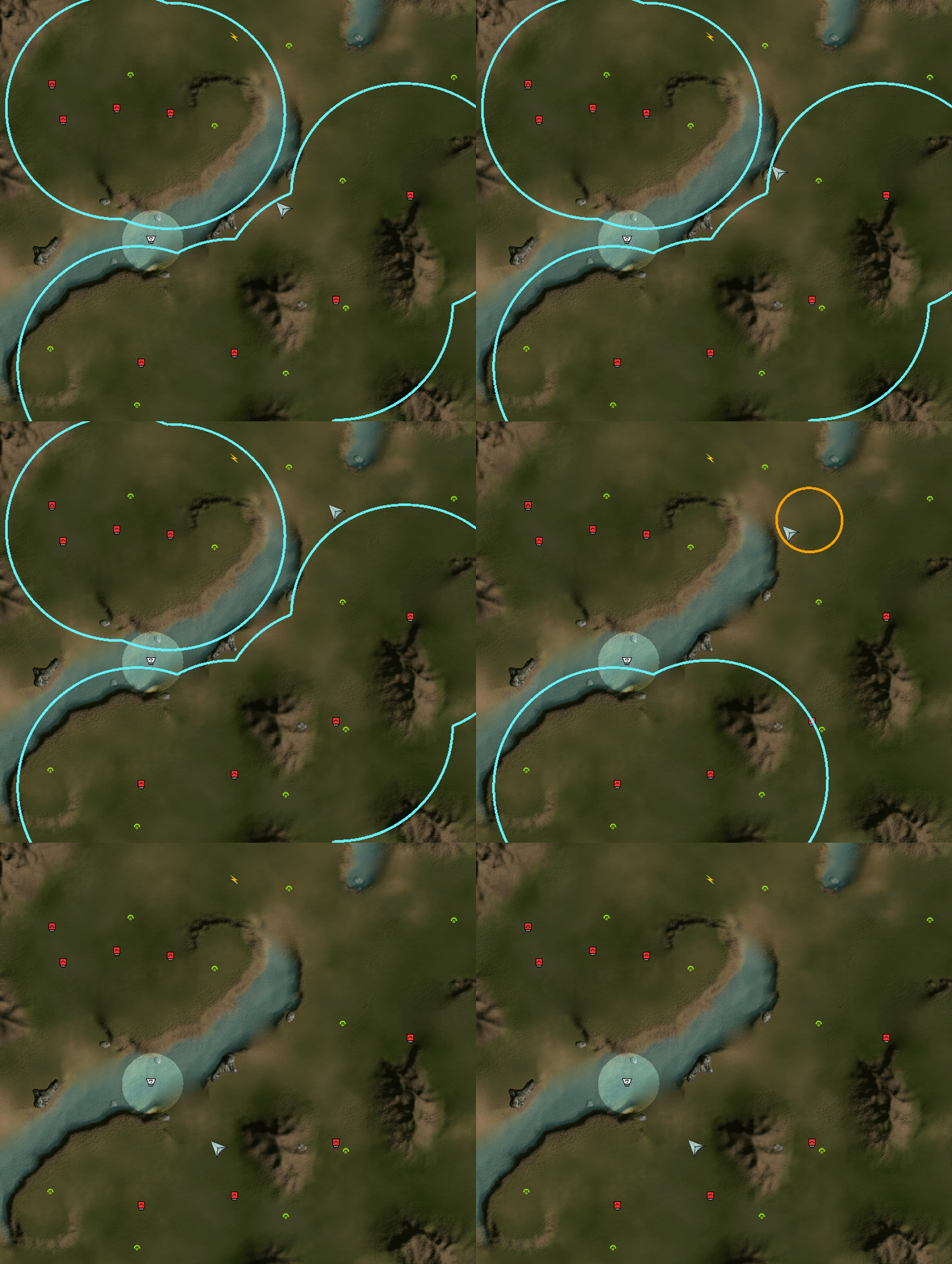
No need to use Delete all rings on screen. Erase rings just like map markers: hold Alt + RMB and drag across the ring.
Settings: F10 → Key Bindings → Bi4UI.StrategicRings
